How to collect photo reviews in WooCommerce (and get customers to leave them)
When to ask, how to make it one click, how to reward effort without buying five-star scores, and where to show the results.
Most WooCommerce stores have product reviews switched on and almost none on the product pages. The reason is rarely that customers refuse to write one. Nobody asked, or the request came at the wrong moment, or leaving a review took more effort than the customer was willing to give. All three are fixable.
Why reviews, and why photos, are worth the effort
Northwestern University’s Spiegel Research Center found that the purchase likelihood of a product with five reviews is 270% higher than that of a product with none, and that most of the gain comes early: the benefit of each extra review shrinks quickly after the first five. The same research found that purchase likelihood peaks for average ratings between 4.0 and 4.7 and falls as ratings approach a perfect 5.0, because shoppers read a flawless score as suspicious (Spiegel Research Center, How Online Reviews Influence Sales).
Two practical conclusions. First, the goal is a handful of honest reviews per product, not hundreds. Second, never hide the four-star ones. A photo adds something a text review cannot: it shows the product in a real home, next to real objects, which no studio shot does.
Ask once, and ask at the right time
A request sent when the order is placed is too early, because the customer has nothing to review yet. A request sent months later is forgotten. The reliable trigger is the order status changing to Completed, plus a delay long enough for the parcel to arrive and the product to be tried. In Photo Reviews the request goes out a set number of days after completion (10 and 15 days by default, both editable), and the plugin’s own help suggests 7 to 14 days works well for most products. Consumables can go earlier; anything that takes time to assess, like tools or furniture, should go later.
Make leaving the review one click
Every extra step loses people. The request e-mail carries a one-click star rating, so the customer starts the review from the inbox instead of finding the product page, logging in and locating the form. Text and photos are optional extras once the rating is in.
Reward the effort, not the rating
A coupon is a reasonable thank-you for the time a customer spends, and it works better when the reward scales with the effort: one value for a text review, a higher one for a photo, higher again for a short video. The rules that keep it profitable are yours to set: minimum order value, expiry, and excluding sale items.
Photo Reviews · Photo & video reviews with rewards, Q&A and a reviews wall. See how it works →
One rule matters more than the rest: the reward must not depend on the score. Give the same coupon for a two-star review as for a five-star one, and say clearly that you do. Under the EU’s Omnibus Directive (2019/2161), a store that publishes consumer reviews has to be transparent about whether and how it checks that they come from real customers, and fake or misrepresented reviews are banned outright (Directive (EU) 2019/2161 on EUR-Lex). This is general information, not legal advice. Check your own country’s rules on incentivised reviews before you switch rewards on.
Only real buyers, verified automatically
The same Directive is the reason a verified-buyer badge is more than decoration. Reviews that come from a real order are badged and auto-approved, and everything else waits for moderation. That keeps the honest ones fast and gives you a defensible answer to “how do you check these are real customers”.
Keep the reviews you already have
A review plugin should sit on top of WooCommerce, not replace it. Photo Reviews stores everything as standard WordPress comments with the normal WooCommerce rating meta, so star ratings, averages and the review schema from Rank Math or Yoast keep working, and if you ever deactivate the plugin every review, photo and vote is still there.
Show them where people decide
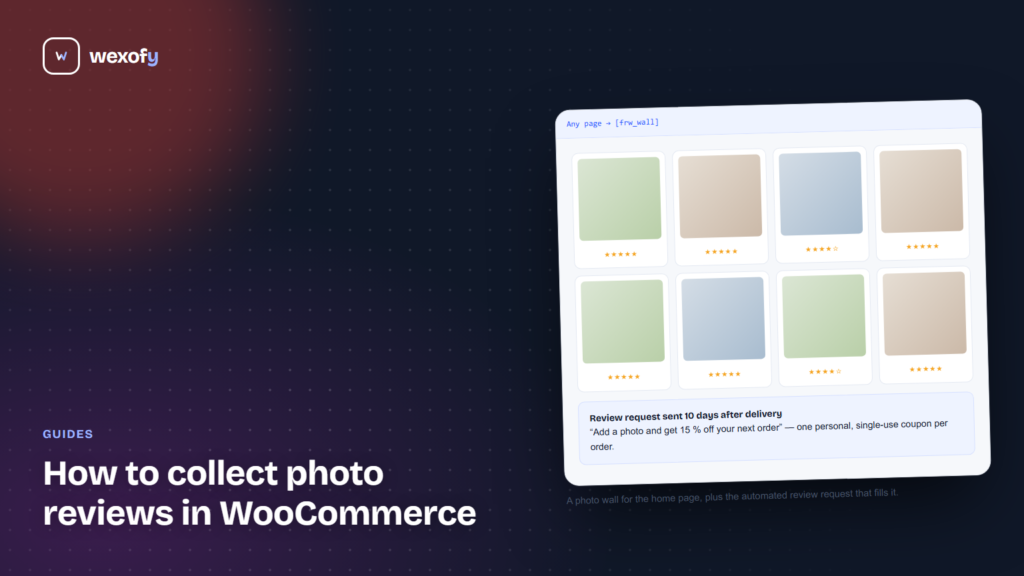
Reviews on a tab at the bottom of the product page are seen by a small share of visitors. Two shortcodes put them where more people look: [frw_wall rows="2" columns="4"] builds a photo wall for the home page or a landing page, and [frw_store_summary] shows the store-wide rating.
A checklist for your own store
- Requests are triggered by Completed orders, not by new orders.
- The delay matches how long your product takes to arrive and be tried.
- The first step is one click, straight from the e-mail.
- The reward is the same for every score and is disclosed.
- Reviews from real orders are marked as verified.
- Reviews appear on the product page and on at least one high-traffic page.
This is the setup Photo Reviews was built around: photo and video uploads, verified-buyer badges, automatic requests with tiered coupons, product Q&A and a reviews wall, all on native WooCommerce reviews.
Frequently asked questions
Are rewards for reviews allowed?
Rules differ by country, and the safe pattern is the same everywhere: reward the act of reviewing, not a positive score, give the same reward whatever the rating, and be open about it. Check the rules that apply to you.
How many reviews does a product need before it matters?
The Spiegel research above found the biggest jump comes from the first five. After that each extra review still helps, but by less.
What happens to my reviews if I stop using the plugin?
They stay. Photo Reviews builds on standard WordPress comments and WooCommerce rating data, so there is nothing to export or migrate.