Complete Bundle
Every paid plugin we make, one licence key, well below the sum of the parts.
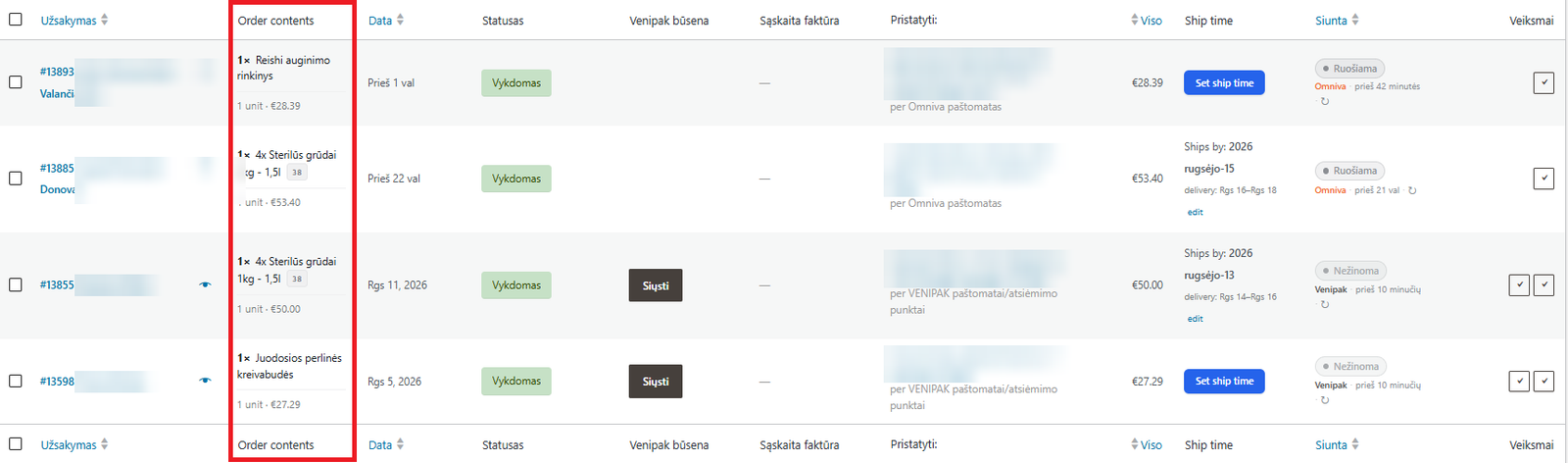
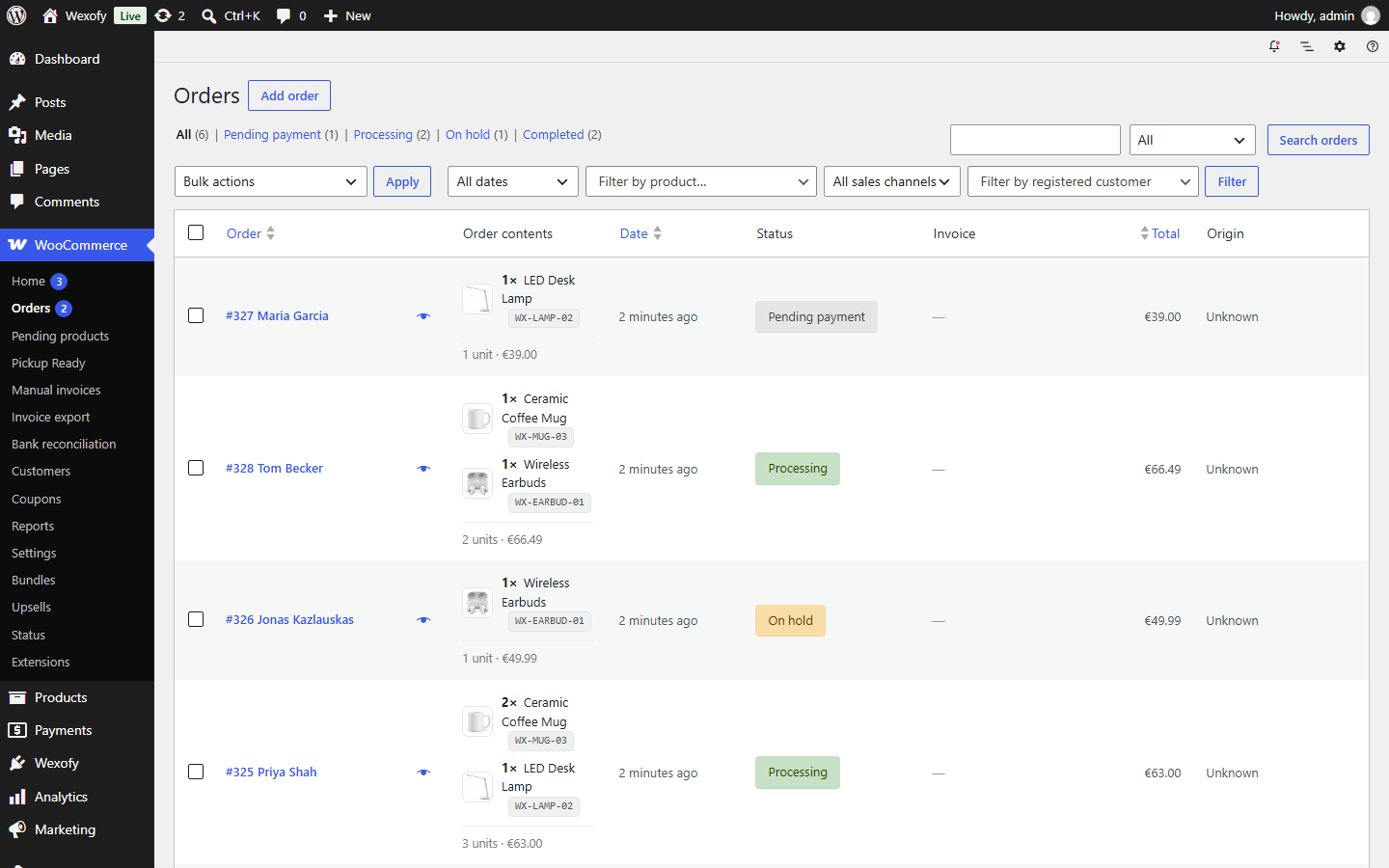
Free. See what every customer ordered without opening a single order. Adds a configurable “Order contents” column to the WooCommerce orders list, with quantities, SKUs, thumbnails, a totals line and a product filter.
The Hub is also where the paid plugins live — one screen for the whole toolkit.
A sample WooCommerce orders screen. Change what the column shows, or filter the list by a product — the same options you get in the plugin.
| Order | Customer | Order contents | Total |
|---|---|---|---|
| #10484 | Emma Clarke |
3 units · €61.80· 1.1 kg Fragile | €61.80 |
| #10483 | Noah Weber |
1 unit · €39.00· 0.9 kg | €39.00 |
| #10482 | Sofia Rossi |
12 units · €148.70· 6.8 kg Fragile | €148.70 |
| #10481 | Liam O’Brien |
3 units · €45.00· 0.8 kg | €45.00 |
Sample orders from a made-up shop. On your store the column is filled from your real orders, with these same options.
Packing starts on the orders screen, not inside each order. This free plugin puts the contents of every order in the row itself: products and quantities, SKUs linked to the product, variation and add-on meta, optional thumbnails, and a totals line with units, order total and weight.
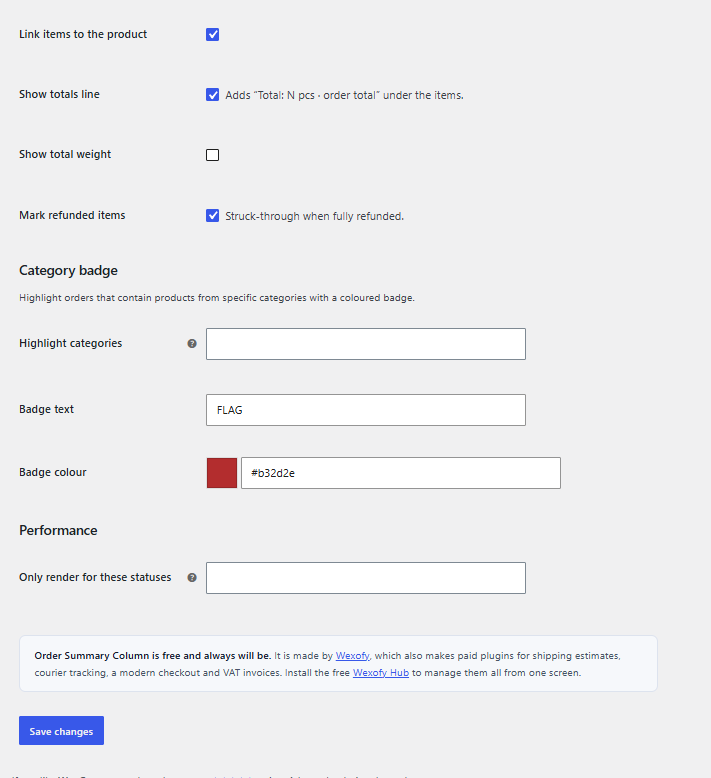
Large orders collapse to “…and 4 more items” so rows stay readable. Fully refunded items are struck through. Orders containing a category you choose — made to order, fragile, hazardous — get a coloured badge, so the exception is visible before anyone clicks.
The product filter above the list narrows the orders to those containing a chosen product or any of its variations. It runs one indexed query and caches the result, so it stays fast on a large store.
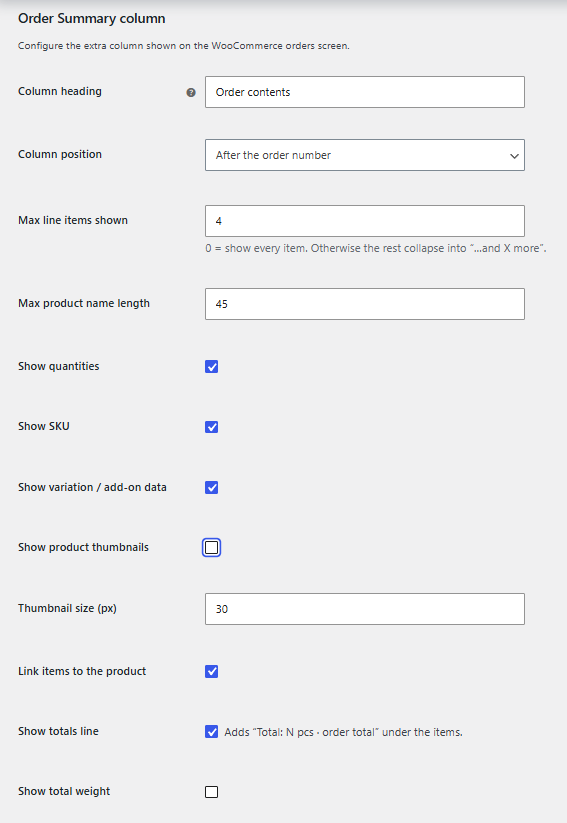
Column heading, its position among the other columns, how many items to show, name length, which details to include, the category badge and which order statuses the column renders for are all settings. On very large stores you can render the column only for the statuses you actually pick from.
Free on every site you run, with no expiry. You install it from the free Wexofy Hub, which issues you a free unlimited licence key automatically — no account, no checkout. From then on it updates itself in wp-admin like any other plugin. It is the free front door to the Wexofy toolkit; the shipping, invoicing and checkout plugins are the paid ones.
2× T-shirt (SKU-123), 1× Cap — no opening, no hovering the preview.
Item meta and variation attributes are shown, and the SKU links to the product editor.
Turn on small product images at a size you choose when your team picks by sight.
Units, order total and total weight under the item list.
Flag every order containing a chosen category — made to order, fragile, hazardous.
One search box narrows the list to orders containing that product or its variations.
Fully refunded items are struck through instead of silently disappearing.
Works the same under High-Performance Order Storage and the old post-based orders.
Click any screenshot to view it full size.
Standard WooCommerce install. Works with HPOS (High-Performance Order Storage) on or off, classic and block themes.
Something not covered here? Pre-sale questions are answered by the developer — we aim to reply within one business day.
Ask a questionNo. The column only renders for the order statuses you pick, large orders collapse to “…and 4 more items”, and the product filter runs one indexed query whose result is cached.
Yes. Variation attributes and add-on meta appear under each item, the SKU links to the product editor, and small product thumbnails are optional at a size you choose.
Pick one or more categories and every order containing them gets a coloured badge in the column, so the exception is visible before anyone clicks.
Yes. The product filter above the orders list narrows it to orders containing the chosen product or any of its variations.
Yes — HPOS and the classic post-based order storage both work the same.
Yes — free on every site you run, with no expiry and no upsell wall. You install it through the free Wexofy Hub, which creates an unlimited licence for it automatically.
Download the Hub, install and activate it, open Wexofy → “Get the free plugins” and press Install. From then on it updates in wp-admin like any other plugin.